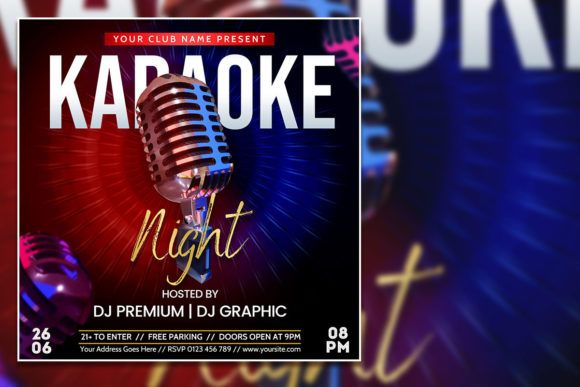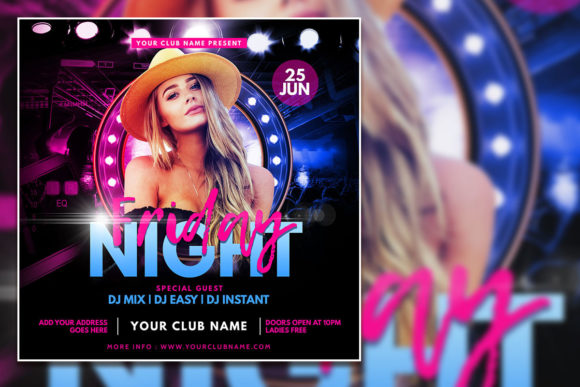
Creative Night Party Social Media Post: Elevate Your Event Promotion
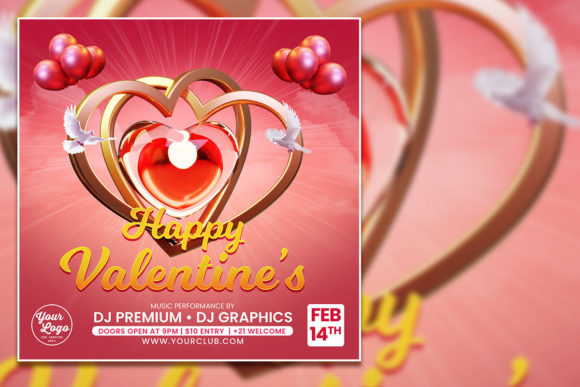
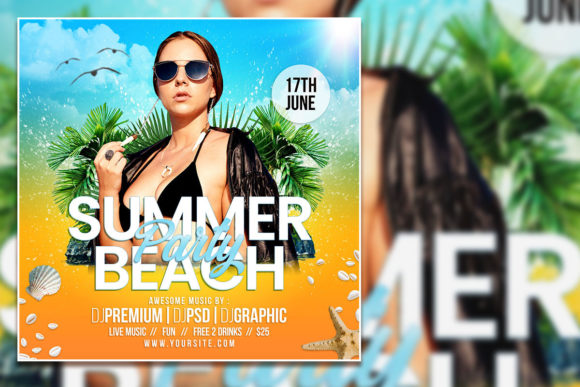
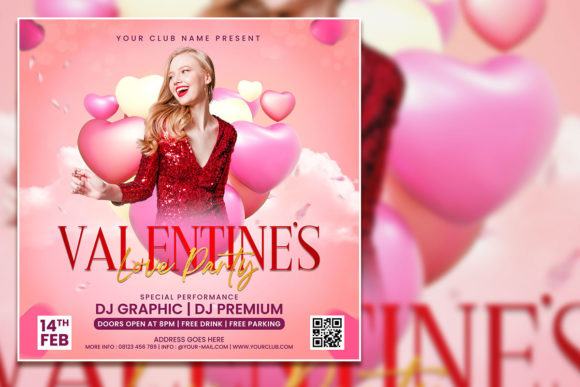
When you are planning a night party, a New Year celebration, or any festive gathering, the first thing people notice is your invitation. A well-designed flyer does more than share details—it sets the mood, builds anticipation, and makes your event feel like something special. The Creative Night Party Social Media Post and Editable Party flyer template offer a practical, beautifully crafted starting point for anyone who wants to create eye-catching promotional material without starting from scratch. Whether you're a business owner promoting a club night, a creator hosting a private party, or a professional organizing a corporate celebration, this template is built to deliver results with minimal effort.
This article walks you through what this template offers, where it shines, who benefits most, and how to make it work for your specific event. By the end, you'll know exactly whether it fits your project and how to get the most out of it.
What Makes the Creative Night Party Social Media Post Stand Out?
At its core, the Creative Night Party Social Media Post is a modern, editable PSD template designed for quick customization. It comes as a fully organized Photoshop file with a 2000 x 2000 pixel canvas, 300 dpi resolution, and RGB color mode. This means you get a print-ready, high-quality base that works beautifully both on screen and in physical formats. The template includes one PSD file and one JPG preview so you can see exactly what you're working with before you start editing.
One of the first things you notice is how structured the layers are. Every element sits on its own named layer, making it easy to swap out the background, adjust colors, or replace the placeholder photo with your own image. The text layers are fully editable too—just select the text with the Text Tool in Adobe Photoshop and type your own message. If you want to change the font, you can do that directly without breaking the design. This kind of flexibility is rare in many templates, and it's what makes this one particularly useful for users who want a polished outcome without needing advanced design skills.
Key Features That Save You Time and Effort
- Fully editable text layers: Simply open the PSD, click on any text with the Text Tool, and replace it with your own event name, date, location, or tagline. Font changes are straightforward and require no special plugins.
- Organized layer structure: Layers are grouped and named logically (background, photo, text, effects, etc.). This makes navigation fast, even for beginners.
- High-resolution output: 300 dpi at 2000 x 2000 pixels gives you professional quality for both digital posts and printed flyers. You can resize without losing sharpness.
- Replaceable photo slot: The template includes a placeholder image you can swap with your own photo. This gives each event a unique look while keeping the design framework intact.
- RGB color mode: Optimized for digital screens, which is ideal for social media posts, but the resolution also supports print if you convert to CMYK.
- Instant download: After purchase, you get the files immediately so you can start editing right away.
Where Can You Use This Template?
The versatility of the Creative Night Party Social Media Post makes it suitable for a wide range of events and promotions. Here are some of the most common and effective use cases:
New Year Celebrations
New Year's Eve parties need a design that feels celebratory and modern. The template's built-in style works perfectly for countdown events, champagne toasts, and midnight galas. You can adjust the colors to match a gold-and-black theme or go with vibrant neon tones for a more energetic vibe.
Nightclub and Bar Promotions
If you run a venue or manage events at a club, this flyer template helps you promote themed nights, DJ sets, or special drink offers. The square 1:1 format is ideal for Instagram, Facebook, and other social media platforms where square posts perform best.
Private Birthday or Anniversary Parties
For personal celebrations, you can replace the stock photo with a picture of the guest of honor or a group shot from a previous event. The editable text lets you add a personal message, making it feel custom without the cost of a designer.
Corporate Events and Brand Activations
Businesses hosting launch parties, networking mixers, or holiday gatherings can use this template to maintain a consistent brand identity. Drop in your logo, use your brand colors, and adjust the wording to match your corporate voice. The professional finish helps you look polished and organized.
Community and Fundraising Events
Nonprofits and community organizers can also benefit. The template's modern look helps attract attention without looking overly commercial. Swap the photo for an image that represents your cause, and use the editable text to share event purpose, date, and donation link.
Who Should Use This Editable Party Flyer Template?
This template is designed for a broad audience. Whether you are a seasoned designer or someone who has never opened Photoshop before, you can achieve great results with it. Here is a breakdown of who gets the most value:
- Small business owners and entrepreneurs: You need quick, professional promotion for events without hiring a graphic designer. This template gives you full control at a fraction of the cost.
- Social media managers and marketers: When you manage multiple events across different clients, having a reliable template speeds up your workflow. You can adapt it for each brand by changing colors and images.
- Event planners and coordinators: You often need to create invitations, save-the-date posts, and recap content. This single template can serve all those purposes with simple edits.
- Content creators and influencers: Hosting a meetup, launch party, or exclusive gathering? A polished flyer helps build credibility and excitement among your audience.
- DIY event hosts: If you are organizing a personal party and want to impress your guests, this template lets you create something that looks like it was professionally designed.
Practical Guidance: How to Edit the Template Effectively
Editing the Editable Party flyer template is straightforward, but there are a few best practices that can help you get better results faster. Here is a step-by-step approach based on real usage:
- Open the PSD file in Adobe Photoshop. Make sure you have a version that supports layers (CS6 or later works fine, and Creative Cloud versions are fully compatible).
- Explore the layer panel. Identify the groups for background, photo, text, and effects. Keep the original file as a backup so you can always start fresh.
- Replace the placeholder photo. Open the photo group, right-click the existing image layer, and select "Replace Contents." Choose your high-resolution image. Adjust the positioning or scale if needed to fit the composition properly.
- Customize the text. Select any text layer with the Text Tool (T icon). Highlight the existing text and type your own. If you want to change the font, simply choose a new font from the dropdown menu in the top toolbar. Stick with safe, readable fonts for event details, and use decorative fonts for headings sparingly.
- Tweak colors and effects. Use adjustment layers (Hue/Saturation, Color Balance, etc.) to shift the mood. The template's organized layers make it easy to experiment without messing up the original design.
- Export for your platform. For social media, save as PNG or JPG at 2000 x 2000 pixels. For print, convert to CMYK and save as a high-quality PDF or TIFF.
What Works Well
- Speed: You can go from download to final post in under 30 minutes once you are familiar with the file.
- Professional output: The 300 dpi resolution and balanced composition mean your flyer looks good whether it's on a phone screen or a poster.
- Flexibility: The template handles a wide range of event types because the design is modern but not overly themed. You can adapt it for a New Year party, a birthday, a club event, or a formal gathering.
- Low learning curve: Even if you rarely use Photoshop, the organized layers and clear naming make the editing process intuitive.
What to Keep in Mind
- Software requirement: You need Adobe Photoshop to edit the PSD file. Free alternatives like GIMP may not fully support the layer structure or effects, so sticking with Photoshop is recommended.
- Font availability: The template may use specific fonts that are not installed on your system. If you see a missing font warning, you can either download the font (if it's free) or substitute it with a similar style. Many templates include a readme file with font links.
- Customization limits: While the template is highly editable, major structural changes (like moving elements to a completely different layout) require more advanced Photoshop skills. For most users, the existing composition works perfectly as-is.
- Image quality matters: When you replace the photo, use high-resolution images (at least 2000 x 2000 pixels) to maintain the flyer's crispness. Low-quality photos will stand out and reduce the professional feel.
Scenario 1: The Club Promoter
Jake promotes a weekly electronic music night at a downtown venue. He uses the Creative Night Party Social Media Post to create a fresh design each week. He keeps the background and layout consistent, swaps out the photo with a shot of the upcoming DJ, and updates the date and headliner text. Over time, his audience recognizes the visual style, which builds brand recall. He posts the square version on Instagram and stories, and the high resolution lets him print a few posters for the venue entrance.
Scenario 2: The Small Business Owner Hosting a Launch
Maya is launching her artisanal candle brand and wants to host an in-store launch party. She has no design background but knows her way around basic Photoshop. She purchases the template, replaces the placeholder image with a photo of her product display, changes the text to include her brand name and event time, and uses her brand's warm beige and terracotta colors. The final flyer matches her packaging aesthetic, and she shares it across social media and email newsletters. The event sees strong attendance, and she credits the professional-looking invitation for building credibility.
Scenario 3: The Event Planner with Multiple Clients
Carlos runs a boutique event planning company and manages several parties per month. He uses this template as a base for different clients. For each event, he adjusts the color scheme, swaps the photo, and customizes the text. He keeps a folder of variations so he can reuse them for recurring events like monthly networking mixers. The template saves him about two hours per design compared to building from scratch, and his clients consistently compliment the polished look.
How to Evaluate Whether This Template Fits Your Needs
Before purchasing any template, it helps to ask yourself a few questions. This ensures you invest in something that truly serves your project.
- What is your event type? If you are hosting a night party, celebration, or modern social gathering, this template is an excellent match. For formal corporate events or weddings, you might want something more subdued, though this template can still work with the right color and image choices.
- What is your skill level with Photoshop? Beginners will find the organized layers and clear instructions easy to follow. If you have never used Photoshop before, you may need to watch a short tutorial on selecting text layers and replacing images, but the learning curve is low.
- Do you need multiple formats? The square 1:1 format works great for Instagram and Facebook. If you need vertical stories or horizontal banners, you may need to adapt the layout yourself. The template is designed specifically for a square post, so consider your primary platform before committing.
- How much customization do you require? If you want to heavily modify the structure or add complex effects, this template provides a solid foundation, but you will need intermediate Photoshop skills to go beyond text and image swaps.
- Is instant download important? If you are working on a tight deadline, the instant download means you can start editing immediately. This is a huge advantage compared to custom design services that take days.
Tips for Getting the Most Out of Your Editable Party Flyer
Once you have the template, a few small moves can elevate your final result even further. First, always keep a backup of the original PSD file so you can revert if needed. Second, when choosing a replacement photo, pick an image that has good lighting and a clear focal point. Busy or dark photos can clash with the design elements. Third, use the organized layers to experiment with different color overlays or gradients. You can often create a completely different mood just by adjusting a single adjustment layer. Finally, test your flyer on both a phone screen and a desktop before posting. What looks good on a large monitor can be too small or crowded on mobile, so ensure your text is legible at smaller sizes.
Why This Template Matters for Your Event's Success
In a crowded social media landscape, first impressions happen in a split second. A generic or poorly designed flyer can make even the most exciting event seem uninteresting. On the other hand, a visually cohesive, professional invitation signals that your event is worth attending. The Creative Night Party Social Media Post and Editable Party flyer template remove the guesswork from design, giving you a proven layout that attracts attention and communicates value. By allowing you to replace the photo and edit every text element, it ensures that each flyer feels personal and relevant to your specific audience.
Whether you are promoting a New Year celebration, a club night, a private party, or a brand launch, this template offers a reliable, high-quality solution. It respects your time, works with your existing software, and delivers results that look anything but template-like. When you invest in a tool like this, you are not just buying a design—you are buying back hours of your time and gaining the confidence that your promotion will stand out for the right reasons.
If you are ready to create your next event flyer, the Creative Night Party Social Media Post is a smart, practical choice. With its organized layers, editable text, instant download, and professional resolution, it puts the power of great design directly in your hands.